Win back your time
No more unfolding profiles and dragging zones by hand every morning – every relevant area is already there when your chart loads.
NinjaTrader 8 · Market Profile · TPO
ASPTPO detects tails, hidden tails, single prints, ledges and poor highs/lows and plots them together with POC, VAH and VAL right on your chart – plus a bias panel for market direction. For NQ, ES and RTY. Your pre-open prep shrinks from half an hour to a single glance.
✓ No credit card required
Why ASPTPO
No more unfolding profiles and dragging zones by hand every morning – every relevant area is already there when your chart loads.
Every zone follows a fixed definition. Two traders, one chart, the same zones – perfect for learning and teaching, too.
Untouched zones from past sessions stay active until a close moves through them, so you always see where the market has unfinished business.
Before / After
Drag the slider: the bare chart with a split profile on the left, the same chart with ASPTPO on the right.
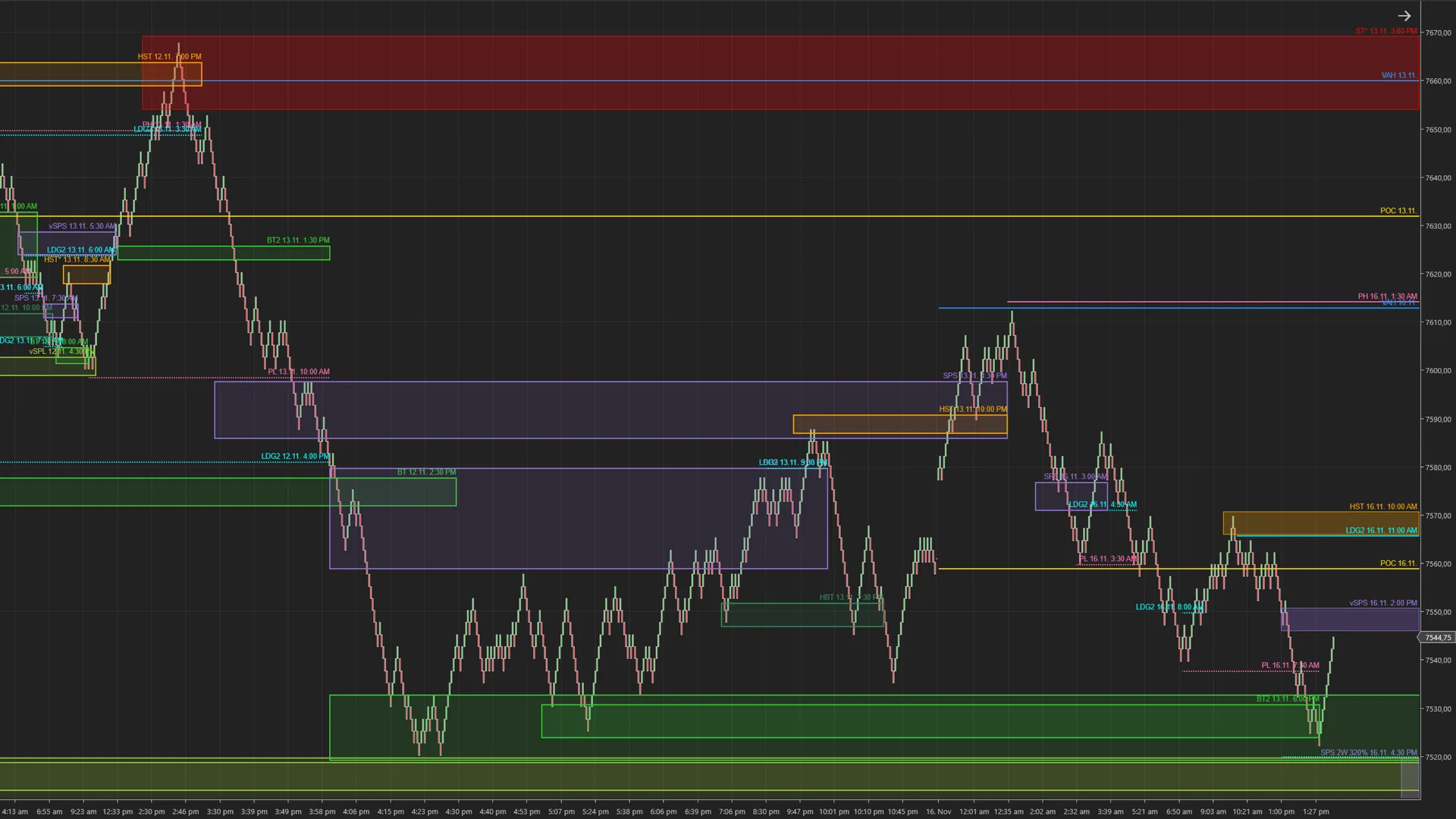 📷 With ASPTPO – everything plotted automatically/assets/img/after.webp
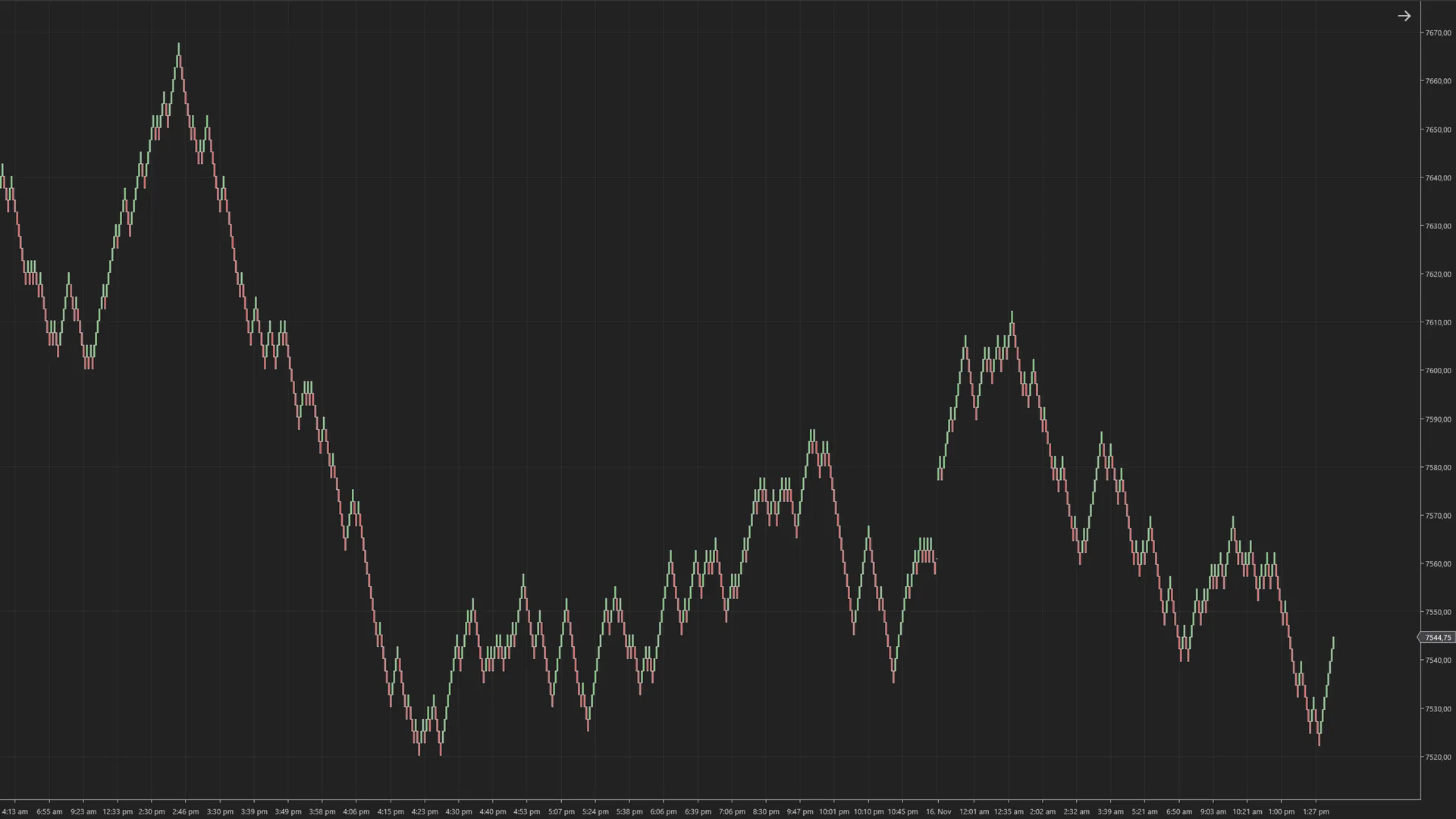 📷 Without ASPTPO – split the profile, draw zones by hand/assets/img/before.webp
Features
The bias panel scores five factors – trend day, IB breakout, structure (e.g. open drive), value-area trend versus the prior day and spike open – and condenses them into a clear bias: LONG, SHORT or NEUTRAL, including the level for a context change.
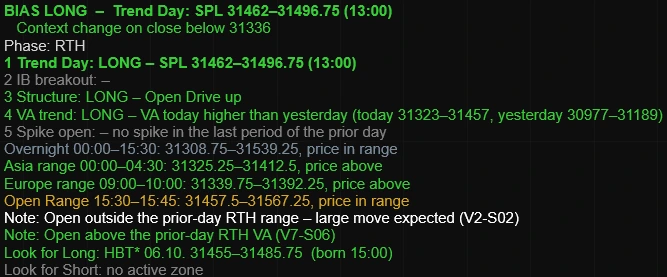 📷 Bias panel on the chart/assets/img/bias-panel.webp
Single-print extremes of 4+ letters are marked as zones – clearly separated into buyer and seller side.
Detects tails that are only visible in the split profile – a detail most tools miss.
Several periods at the same price or a lone letter at the extreme: unfinished auctions at a glance.
The key profile levels are always displayed as a reference for every session.
Zones from previous days remain until they are resolved by a close through them.
Profile the full session or any custom time window – matching your trading style.
Our rules
No black box: these are the precise definitions the indicator works with.
At least 4 single-print letters at the bottom (buying) or top (selling) extreme of the profile. The zone stays active until a close moves through it.
Letters at the bottom or top of a single period with no neighbouring letter to the left or right (neither previous nor following period). At least 2 free letters. The zone is created once the following period completes – only visible in the split profile.
A single letter at the top or bottom of the profile. An unfinished auction that is frequently "repaired" later.
2 or more consecutive periods ending at exactly the same price – at the top, bottom or inside the profile. Very strong from 3 periods. More significant than a poor high/low.
Price levels traded in only one period – they show fast, one-sided moves that are often filled later.
Levels, not zones: always displayed and never ended by a close. Value area = approx. 70 % of TPOs around the POC.
Screenshots
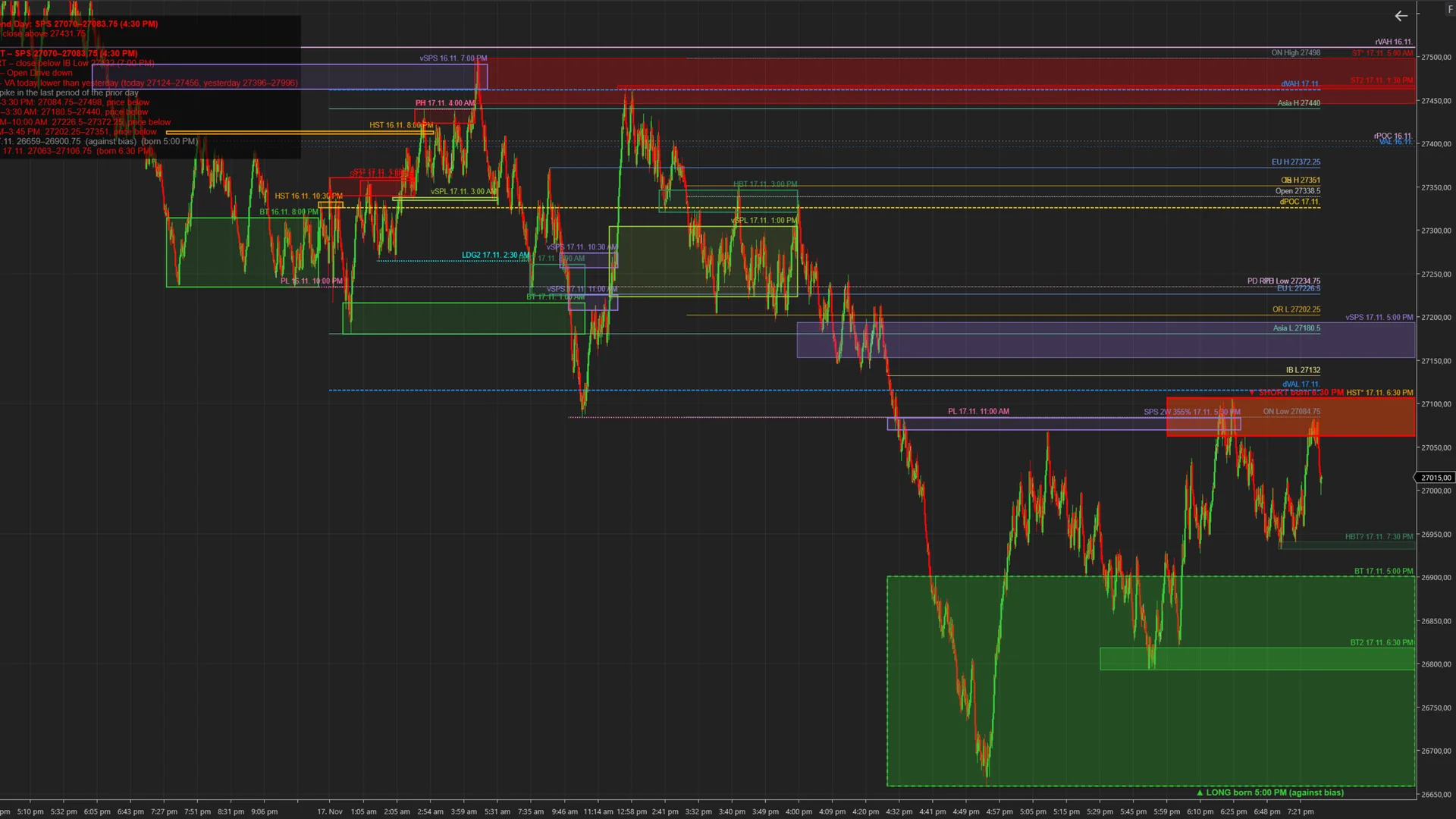 📷 Multi-day zones with SHORT bias (MNQ)/assets/img/zones-multiday.webp
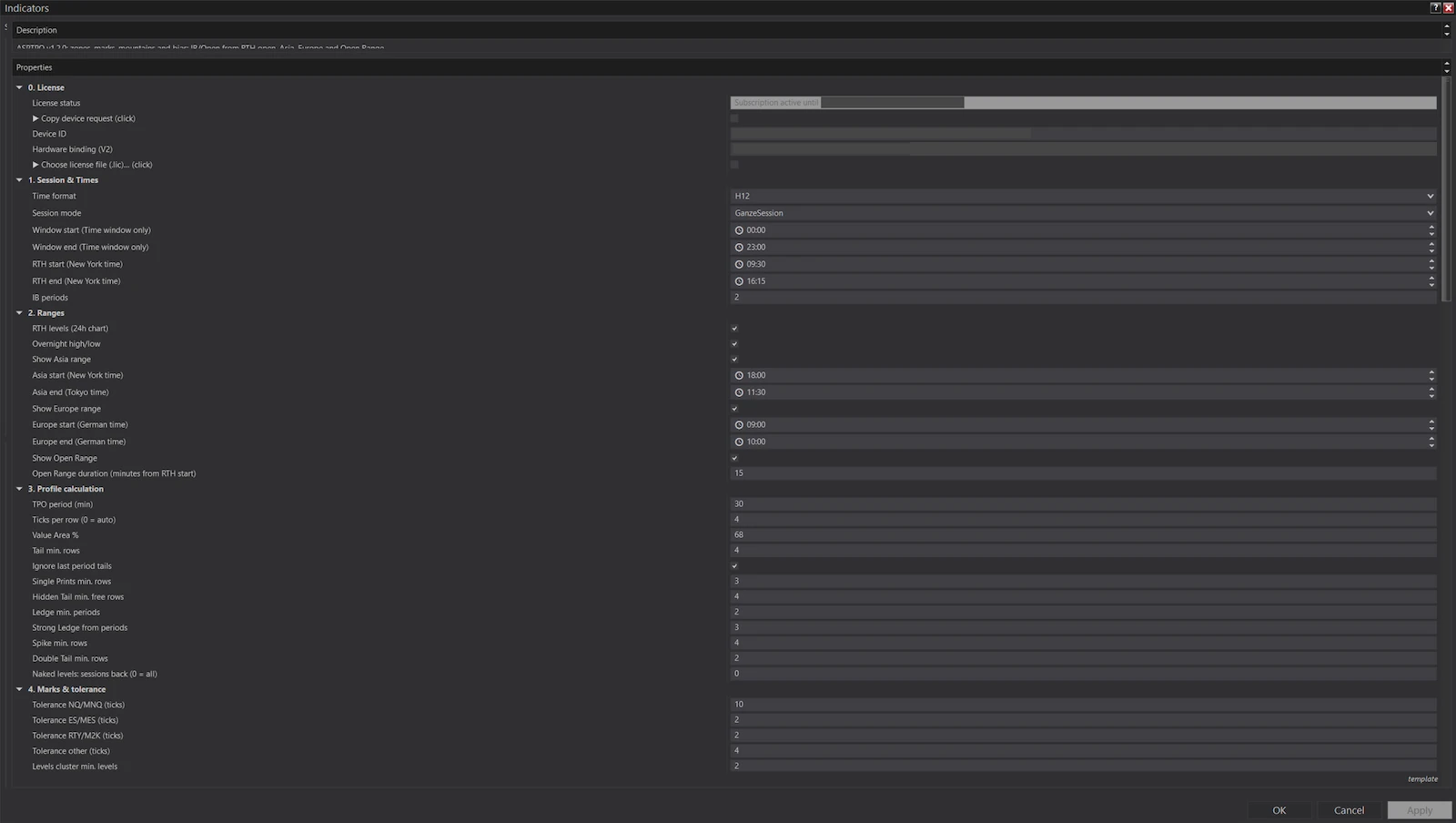 📷 Settings: license, session, ranges, profile calculation/assets/img/settings-1.webp
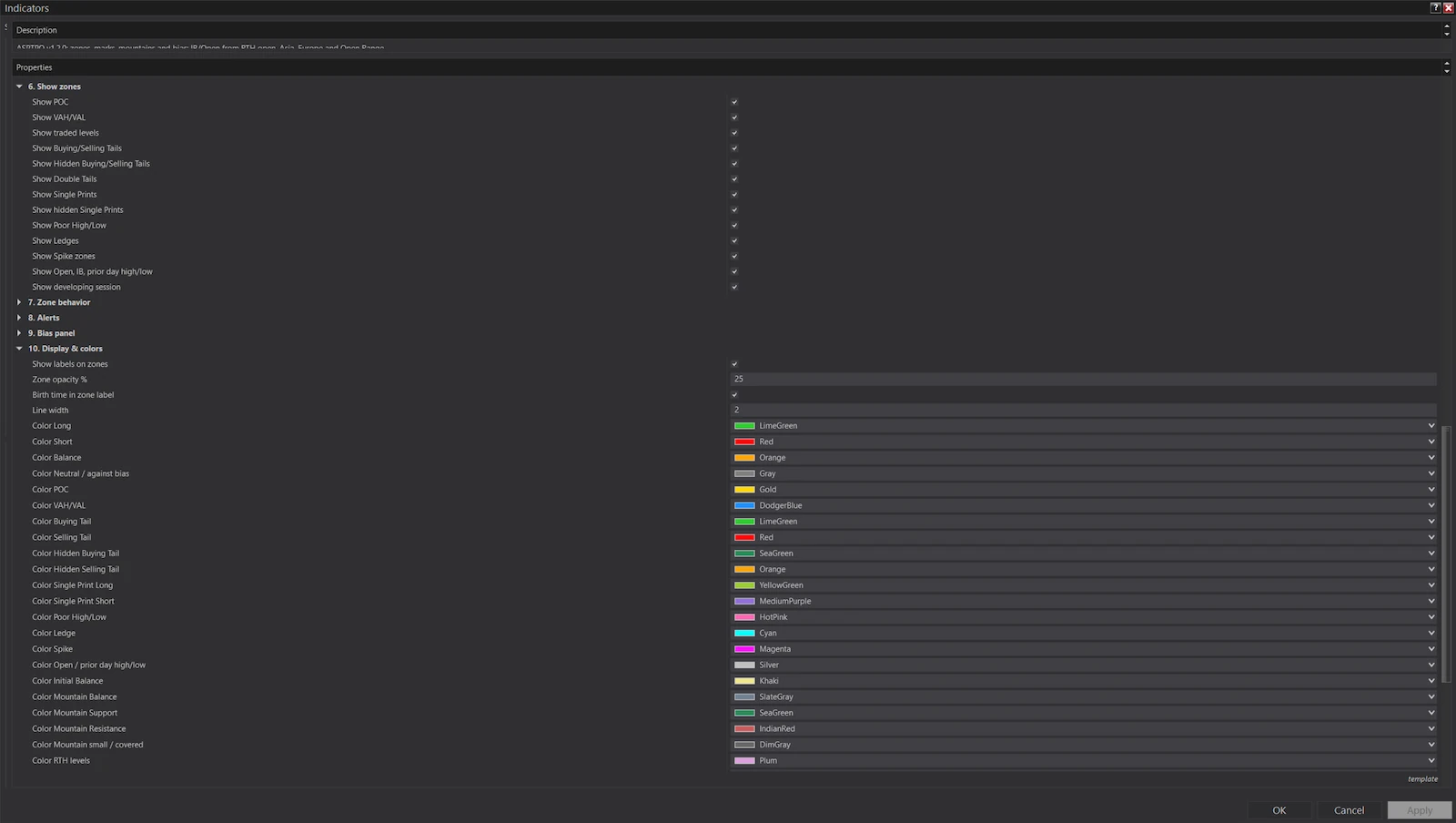 📷 Settings: toggle zones, colours/assets/img/settings-2.webp
🔍 Click to enlarge
Ready in 3 steps
Test it free for 7 days or pick a plan right away and pay securely via Stripe. The installer arrives by email.
Add the indicator to a chart, copy the machine ID from its settings and send it to us. Your license file arrives by email.
ASPTPO calculates all zones automatically – every time you start NinjaTrader.
 📷 Your photo (square, min. 800×800 px)/assets/img/founder.webp
Who's behind it
I'm Alexander Singer, trader and founder of ASPerformance. I've traded NQ, ES and RTY with Market Profile for years – and did the same thing every morning: split the profiles, hunt for tails, mark ledges, draw zones by hand. For three markets.
At some point it was obvious: this work follows fixed rules. And whatever follows fixed rules, a program can do faster and more reliably than I can. So I turned my definitions into code – first for myself, then for my students, now for you.
ASPTPO is not a signal service and promises no profits. It takes the mechanical prep work off your plate so you can spend your energy on what a program cannot do: read the context and make the decision.
— Alexander Singer · ASPerformance
In action
MNQ, 17 Nov 2026, 2000-tick chart. The spots marked in yellow are reactions at zones that were already active at that time.
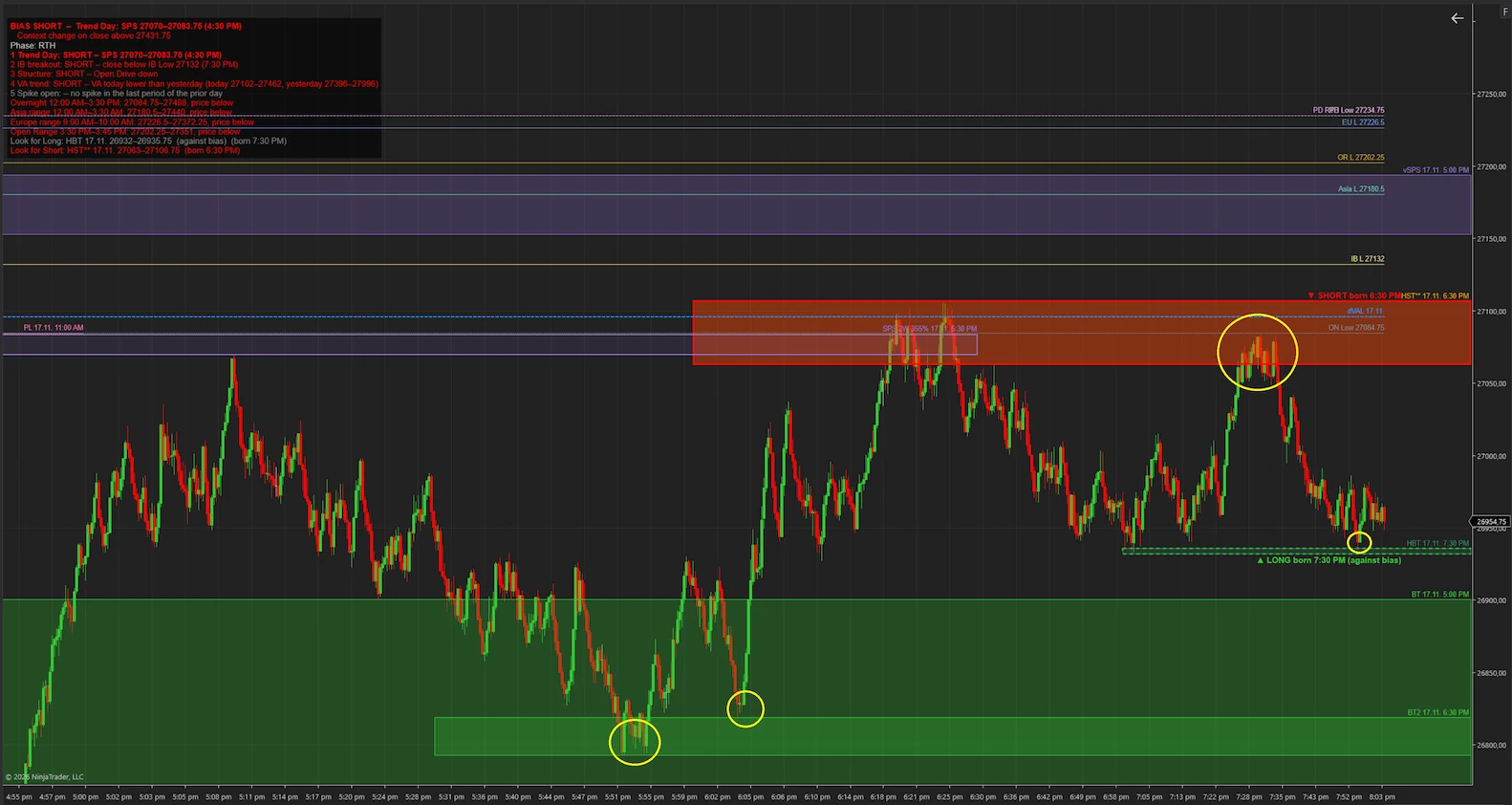 📷 Example MNQ: price reactions at ASPTPO zones/assets/img/praxis.webp
Price runs into the zone twice and turns up both times.
Pullback into the zone, rejection and sell-off – in line with the SHORT bias.
Test of the fresh zone with an upward reaction – flagged in the panel as a long against the bias.
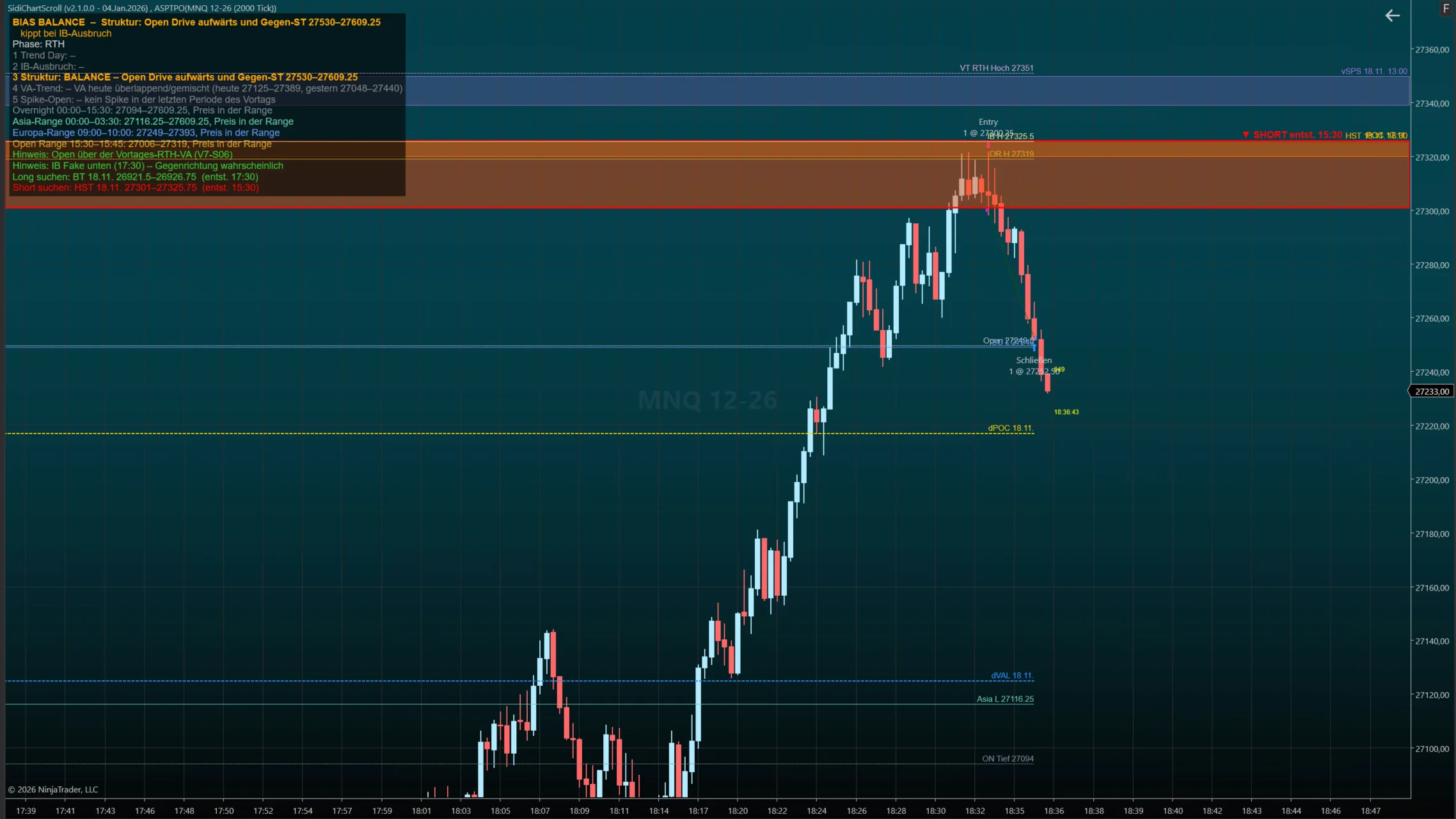 📷 MNQ 2000-tick chart with ASPTPO: short entry in the HST zone/assets/img/trade-mnq-short.webp
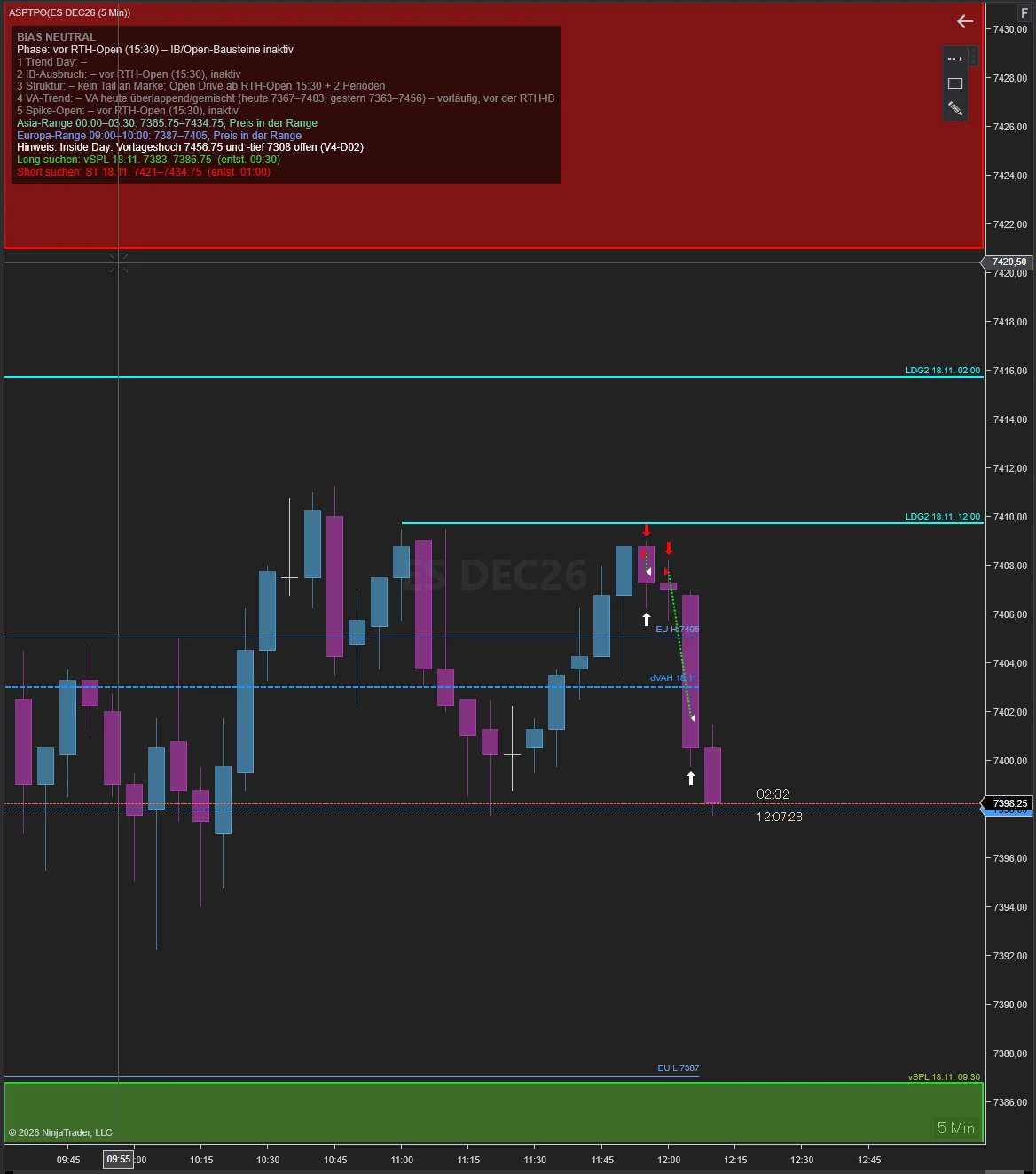 📷 ES 5-minute chart with ASPTPO: short at the LDG2 ledge/assets/img/trade-es-short.webp
Selected excerpt from a single trading day. Not every zone holds – past reactions are no guarantee of future results.
Pricing
Every plan includes the full feature set. You only decide how you want to pay.
Flexible – cancel any month.
Cheaper than monthly.
Pay once, use it forever.
No VAT charged (small business, § 19 German VAT Act) · License for 1 computer · Our terms and withdrawal policy apply. · *PayPal if enabled in Stripe.
Coaching & service
I show you how to set up ASPTPO and, in future, my other indicators, what the readings mean and how you can use them – in the live market with real-time prices. No trading takes place.
I install ASPTPO on your computer and set everything up for you.
A private session just for you: settings, readings, practical use.
Four weeks, one hour each week together in front of the live market.
One intensive week: every trading day together in front of the live market.
No VAT charged (§ 19 German VAT Act) · Reschedule free of charge up to 24 h before the session · Training on using the indicators – no joint trading, no investment advice.
Trial license
Full feature set, no credit card, no auto-renewal. The trial license simply expires.
FAQ
All sessions take place 1:1 via Google Meet with screen sharing – right in your browser, nothing to install. For the installation help I also control your PC via Windows Quick Assist, which is built into Windows. We look at the live market with real-time prices together: how the indicators are set up, what they are showing and how the readings can be used. No trading takes place, and I do not give investment advice or buy/sell recommendations. We schedule the sessions after booking; rescheduling is free up to 24 hours in advance.
NinjaTrader 8 (current version) on Windows. ASPTPO works with any data feed supported by NinjaTrader.
Developed and tested on the index futures NQ, ES and RTY including micros. It works on any instrument with sufficient volume.
Yes. ASPTPO is a pure analysis indicator and does not touch order execution. It runs in any NinjaTrader 8 installation – whether you use your own broker account or a prop-firm account via Rithmic or Tradovate. Still, check your prop firm's rules on permitted tools.
Any feed NinjaTrader 8 connects to: Rithmic, Tradovate, CQG, Kinetick, Interactive Brokers and more. For tick-replay features we recommend a feed with historical tick data (e.g. Rithmic).
One license covers one computer. Switching PCs? Just email us and we'll move your license.
You can keep using ASPTPO until the end of the paid period, then the license expires. You can cancel yourself at any time via the customer portal.
Fastest via our Discord server – other users hang out there too. Alternatively by email. There is deliberately no live chat on the website.
Yes. Subscribers receive all updates while subscribed, lifetime customers forever.
No. ASPTPO is an analysis tool, not investment advice. You make your own trading decisions.
Try ASPTPO free for 7 days and start every session prepared.